iOS 27 добавляет опциональную настройку для передачи данных, чтобы улучшить Apple Foundation Mo
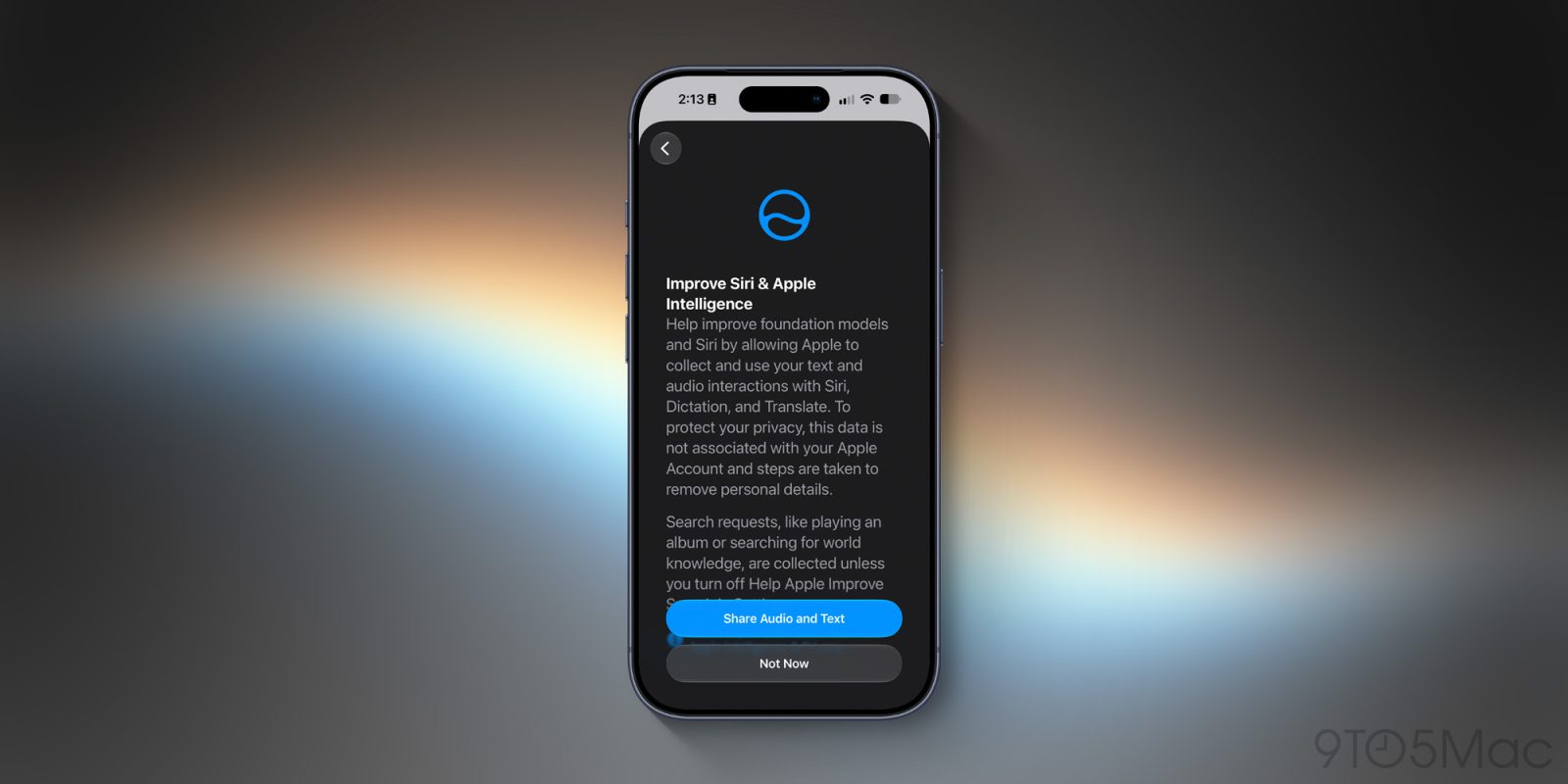
After several months of beta testing, Apple released Siri AI to the public today as part of iOS 27 and its other OS updates. The rollout introduces a fresh consent screen that asks users whether they want to improve Siri and Apple Intelligence.
Background
Historically, Apple asked users during device setup if they wanted to help improve Siri and Dictation. Opt‑in participants previously shared audio recordings and transcripts from Siri, Dictation, and Translate with the company. This data collection has been a cornerstone of incremental model upgrades for years.
New Opt‑In Flow
With the launch of Siri AI, the setup experience now presents a dedicated screen titled “Improve Siri & Apple Intelligence.” Users see two options: “Share Audio and Text” or “Not Now.” The prompt appears the moment a user enables Siri AI, ensuring the decision is made in context.
Data Usage and Foundation Models
Apple emphasizes that the type of data collected remains unchanged; audio clips, transcripts, and related metadata are still gathered if users opt in. The pivotal shift is that this information will now also train and refine Apple Foundation Models, extending beyond the traditional Siri and Dictation pipelines. Even those who previously consented under the older scheme will be asked again, giving them a chance to reassess their preferences now that the data fuels broader AI research.
Privacy Safeguards
When presenting the opt‑in request, Apple outlines robust privacy protections. All Siri audio data, transcripts, and associated signals are linked to a “random, device‑generated identifier that rotates multiple times per hour.” This identifier is not tied to a user’s Apple account or email address, preventing cross‑service profiling. Apple also confirms it does not build marketing profiles from this data nor sell it to third parties.
How to Adjust Settings
Users retain full control after the initial decision. The preference can be toggled at any time by navigating to Settings > Privacy & Security > Analytics & Improvements > Improve Siri & Apple Intelligence. Turning the switch on or off instantly updates the data‑sharing status for Siri, Dictation, and Translate interactions.
Related Hardware Announcements
Alongside the software launch, Apple refreshed several accessories. Official Apple cases are now available in Silicone, Clear, and TechWoven finishes, offering style and protection. The Apple Wrist Strap is compatible with both iPhone and AirPods, adding a secure wearable option. Power users can opt for the Apple 40W Dynamic Power Adapter with 60W Max, delivering fast charging across the ecosystem. A new USB‑C cable with built‑in LED display provides visual charging status, while Beats Woven USB‑C headphones arrive in a spectrum of colors for personalized audio.
Community and Support
To help users understand the new settings, Apple published a comprehensive support document that details the opt‑in process across all platforms. The company encourages following its official channels for updates, including Chance on Threads, Bluesky, Instagram, and Mastodon. By staying informed, users can make confident choices about how their voice data contributes to the evolving AI landscape.