iOS 27 breaks 15 years of muscle memory on iPhone and iPad
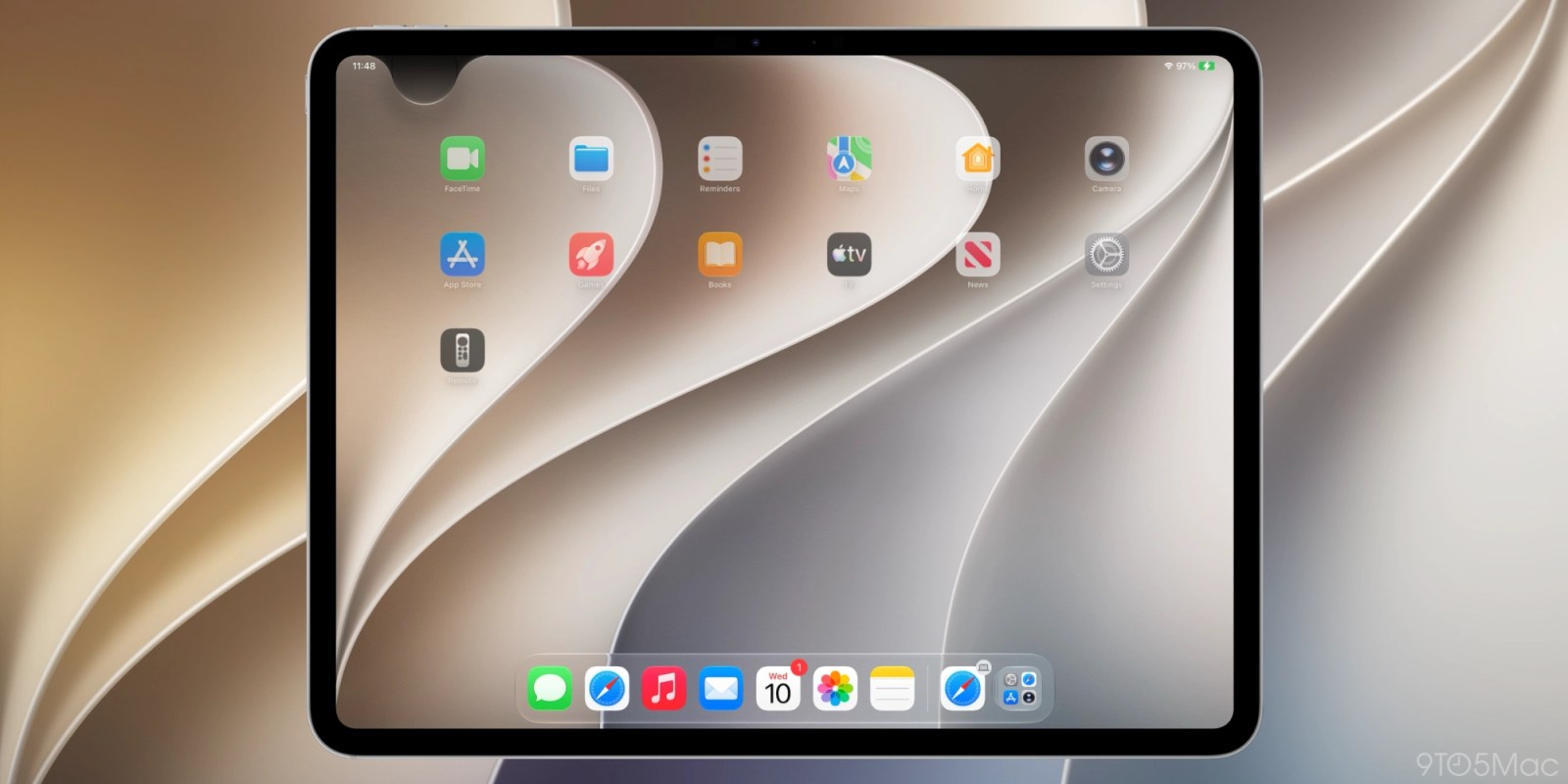
Apple is introducing a major shift in how users interact with Notification Center on iPhone and iPad with the release of iOS 27. This update redefines a long-standing gesture that has been consistent since iOS 5 launched in 2011. The change centers on the top edge of the display, where swiping down once opened Notification Center by default. Now, that gesture is being repurposed to prioritize access to Siri AI.
Background on Notification Center Evolution
Since its debut in iOS 5, Notification Center has served as a chronological hub for alerts from all installed apps. Users relied on a simple swipe down from the top of the screen to access it, creating a deep muscle memory over more than a decade. The last major change to this interaction occurred with the iPhone X, when Control Center moved from a bottom swipe-up to a top-right corner swipe-down. Apple later standardized this across iPad and iPhone models. Now, with iOS 27, Notification Center is undergoing another transformation, this time to make room for enhanced Siri AI access.
iOS 27 Release Timeline and Beta Feedback
iOS 27 is set to launch on September 14, likely around 10 am PT or 1 pm ET, following a summer of beta testing. Early developer beta releases showed inconsistent behavior, with the swipe gesture function changing between the first two versions. However, later beta builds confirmed the change is final and will ship as intended. Despite internal skepticism from some Apple engineers who questioned the decision, the update proceeds as planned. The company is betting that users will adapt to the new layout, even if it disrupts long-established habits.
Siri AI Takes Over the Top Edge Gesture
The core change in iOS 27 is that swiping down from the center of the top edge now activates Siri AI when the feature is enabled. This gesture previously opened Notification Center directly. Apple is dedicating the majority of the top display edge to invoking the new Siri experience, signaling a strategic shift toward voice and AI-driven interaction. Users who enable Siri AI will find that the central swipe no longer brings up alerts, requiring them to adjust their muscle memory.
Alternative Access to Notification Center
Although the center swipe now triggers Siri AI, Notification Center remains accessible through a modified gesture. Users must swipe down from the top-left corner of the screen to open it. This change repositions Notification Center to a smaller surface area in the corner of the display. Alerts now animate in from the top left, visually reinforcing the new location. This design choice aims to guide users toward the updated access point while maintaining functionality.
iPadOS 27 Adjusts Layout for Balance
In early iPadOS 27 beta 1, the area above the Home screen app icons was heavily skewed toward Siri AI invocation, leaving little room for Notification Center. Disabling the AM/PM or date display further reduced the available space, making the gesture awkward to perform. Responding to feedback, Apple revised the layout in iPadOS 27 beta 2. The top edge now features a more uniform division: Notification Center occupies the left side, Control Center the right, and the center remains reserved for Siri AI. Each side is roughly the width of two app columns, creating symmetry and improving usability.
User Adaptation and Muscle Memory Challenges
After 15 years of using the center swipe to access Notification Center, users face a significant relearning curve. Many long-time Apple customers have expressed surprise that the center gesture ever worked, having always used the left corner. One user noted in feedback that they were unaware of the alternative method, suggesting the change may affect fewer people than anticipated. However, for those who relied on the center swipe, building new habits will require conscious effort. Without a system setting to disable the Siri AI swipe trigger, the only option is to avoid the center and train oneself to use the corner instead.
Apple’s Strategic Focus on Siri AI
The redesign underscores Apple’s commitment to making Siri AI a more central part of the operating system. By allocating prime screen real estate to its activation, the company is attempting to increase adoption and engagement. Early feedback indicates that users are responding positively to the improved Siri experience, with many noting it feels more capable and responsive than before. Apple hopes that as Siri AI becomes more useful, users will embrace the new gesture, even if it means letting go of a familiar routine.
Do More with Your Apple Products
While the operating system evolves, Apple continues to expand its ecosystem of complementary devices. Users can enhance their experience with products like the AirTag 2 for item tracking, AirPods 5 for wireless audio, and AirPods Pro 3 for premium noise cancellation and sound quality. These accessories integrate tightly with iOS and iPadOS features, including Find My and seamless device switching, offering added value alongside the software updates.