Apple TV Remote app has hidden features that could be coming to iOS 27
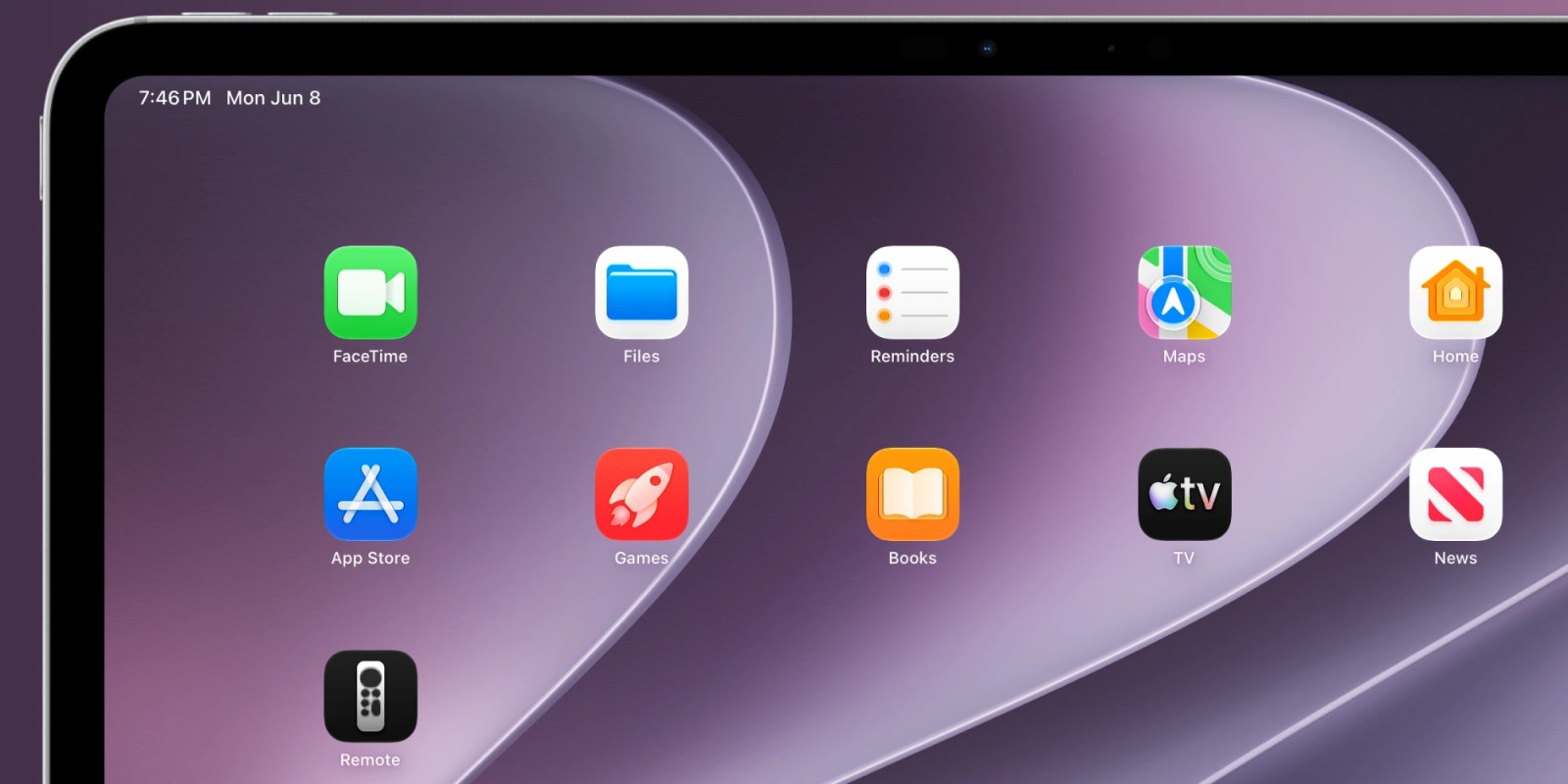
The iOS 27 beta has turned the modest Control Center tile into a stand‑alone Apple TV Remote app that can sit on the Home Screen of both iPhone and iPad. This renewed focus is widely read as a strong indicator that a refreshed Apple TV 4K set‑top box is on the horizon.
Background
Apple first introduced the change in iOS 27 beta 1, restoring the Remote from its half‑app status to a full‑featured application. The move applies equally to iPhone and iPad, giving users a dedicated icon rather than a hidden toggle.
Historically, the Apple Watch has always shipped with its own Remote app, allowing quick navigation from the wrist. On macOS, a community developer recently built a third‑party Remote client, showing the cross‑platform appetite for this functionality.
iOS 27 Remote App Revival
The new Apple TV Remote app now behaves like a virtual directional pad, faithfully reproducing the button layout of the physical Siri Remote in software. Because it is pure code, Apple can layer additional gestures and shortcuts that the hardware cannot provide.
Apple’s engineers have leveraged the software environment to add haptic feedback and context‑sensitive menus, turning a simple pad into a richer control surface. Early testers report smoother navigation through apps such as Apple TV +, Disney+, and Hulu.
The redesign also integrates with the system’s Accessibility suite, allowing VoiceOver and Switch Control to interact directly with the Remote interface. This inclusion broadens the appeal of the Apple TV ecosystem to users with diverse needs.
By moving the Remote out of Control Center, Apple reduces accidental activation and gives the app a permanent presence, which can be updated independently of the OS. Future patches can therefore roll out new features without waiting for a major iOS release.
Hidden Feature Flags and Upcoming Capabilities
A developer known as “pdfu” on X uncovered a set of hidden toggles that unlock experimental Remote functions still under testing. These features are concealed behind feature flags, meaning they are not visible to the average user yet.
The code‑wrangler who discovered the flags managed to expose a prototype of a multi‑touch trackpad, allowing users to swipe across the screen to mimic the Siri Remote’s touch surface. This prototype also hints at customizable button layouts that could be saved per‑app.
Another concealed capability appears to be a voice‑command overlay that can be invoked with a long‑press, integrating Siri directly into the Remote UI. If activated, users could search for content, control playback, or launch apps without leaving the Remote screen.
The hidden suite also includes a “quick‑launch” grid that would let users assign favorite streaming services to a single tap, dramatically cutting the number of steps to start a movie. Apple may roll this out as part of a broader “one‑click entertainment” strategy.
Because these features are still behind flags, Apple can gather telemetry from internal testers and refine the experience before public release. This iterative approach mirrors the company’s recent handling of iOS 27 widgets and Live Activities.
When the flags are finally flipped for the public, the Apple TV Remote app could become the most versatile controller in Apple’s lineup, surpassing even the physical Siri Remote in flexibility.
Hardware Remote Evolution and Siri Remote Update
Apple is also expected to refresh the physical Siri Remote when the new Apple TV 4K arrives, likely within the next month or so. The timing aligns with the software overhaul, suggesting a coordinated hardware‑software launch.
Rumors indicate the updated Siri Remote may feature a more ergonomic shape, a brighter infrared emitter, and a rechargeable battery that lasts longer than the current model. Apple may also add a dedicated mute button, a request many users have voiced.
The simultaneous rollout of a revamped Remote app and a new hardware remote underscores Apple’s commitment to a seamless user experience across devices. By aligning software capabilities with tactile controls, Apple can offer both convenience and precision.
Analysts interpret this dual focus as a sign that Apple is allocating additional engineering resources to the Apple TV platform, a segment that has seen steady growth in recent quarters. The renewed attention could translate into higher subscription revenues for Apple TV +.
Ecosystem Accessories Spotlight
While the Remote receives its upgrade, Apple continues to expand its accessory portfolio. The Apple AirTag 2 adds Find My tracking to keys, bags, bikes, and more, reinforcing Apple’s ecosystem lock‑in.
The AirPods 5 represent Apple’s newest wireless headphones, boasting improved battery life and spatial audio enhancements. Meanwhile, the AirPods Pro 3 remain the company’s flagship noise‑cancelling earbuds, praised for their adaptive EQ.
For users who need wired connections, the Beats USB‑A to USB‑C Cable serves as the official CarPlay cable, delivering fast data transfer and reliable charging. The Wireless CarPlay Adapter eliminates the need for a physical plug, enabling seamless integration with a car’s infotainment system.
These accessories illustrate Apple’s strategy of pairing core hardware updates—like the upcoming Apple TV 4K—with peripheral upgrades that enhance the overall user experience.
Implications for Apple’s Product Roadmap
The flurry of activity around the Remote app signals that Apple is not only polishing existing software but also preparing a major hardware refresh. Historically, software enhancements precede hardware launches, giving developers time to adapt and users a taste of what’s coming.
If the new Apple TV 4K arrives as anticipated, it will likely ship with the updated Siri Remote and a version of iOS 27 that includes the previously hidden features. This coordinated release could set a new benchmark for streaming‑device usability.
Investors are watching these signals closely, as a successful Apple TV refresh could boost Apple’s services revenue and reinforce its position against competitors like Roku and Amazon Fire TV. The synergy between software, hardware, and accessories forms a compelling ecosystem narrative.
In summary, the transformation of the Apple TV Remote app from a Control Center tile to a full‑screen, feature‑rich application in iOS 27 is more than a UI tweak. It is a strategic move that prepares the stage for a refreshed Apple TV 4K, an upgraded Siri Remote, and a suite of complementary accessories that together deepen Apple’s entertainment foothold.